If you prefer to authorize access to your customer portal individually, it's easy with Huntington AR Connect.
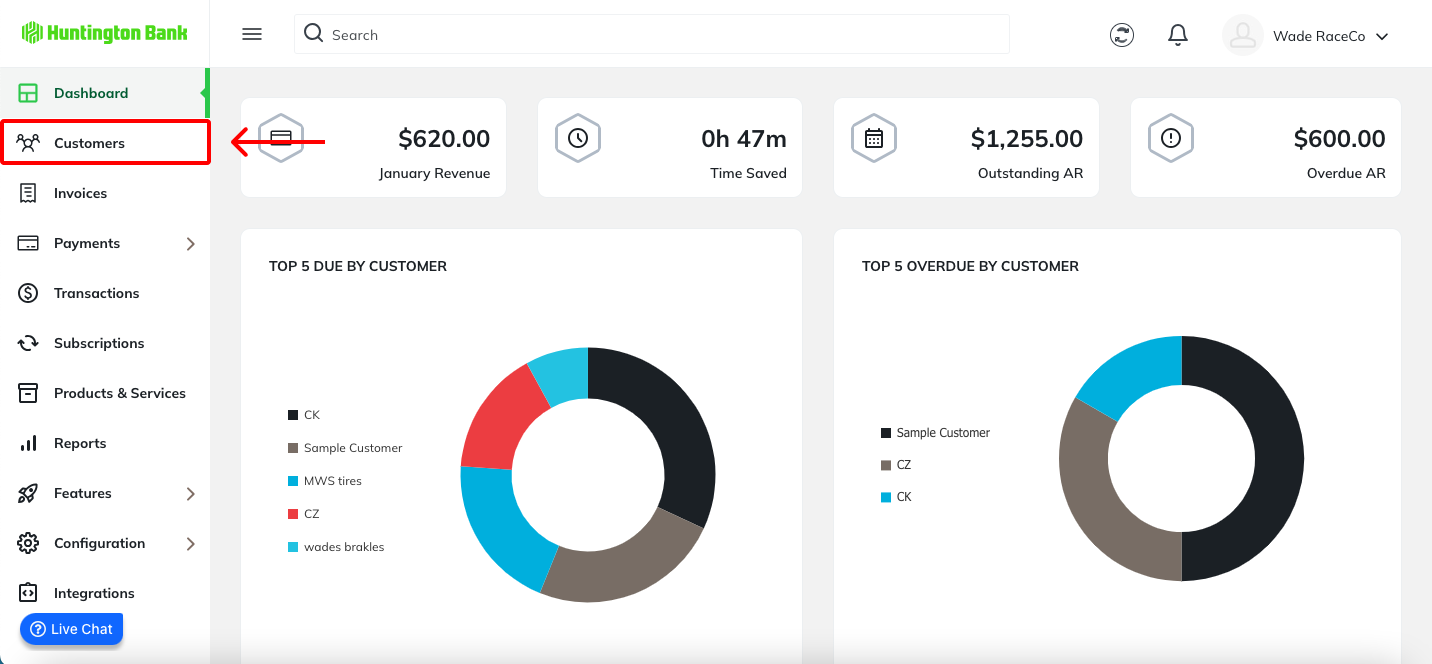
From the left navigation, go to Customers.
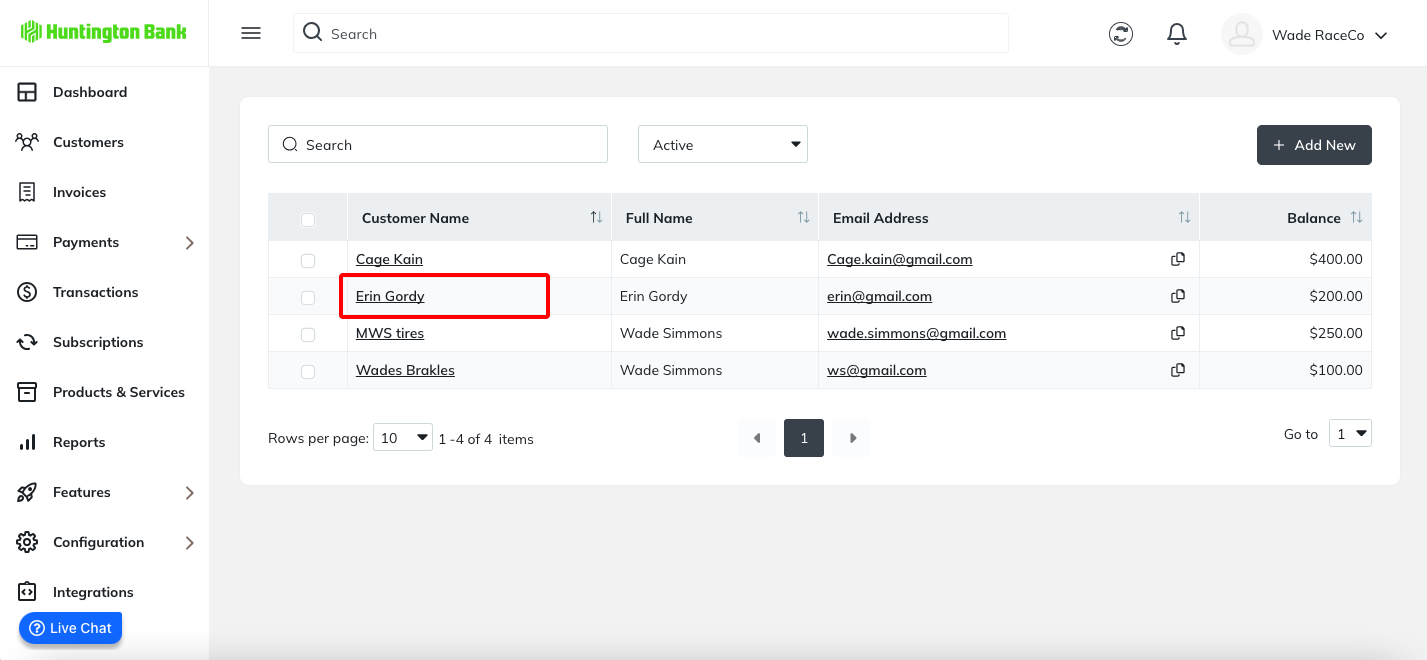
Select the customer you want to activate the portal for.
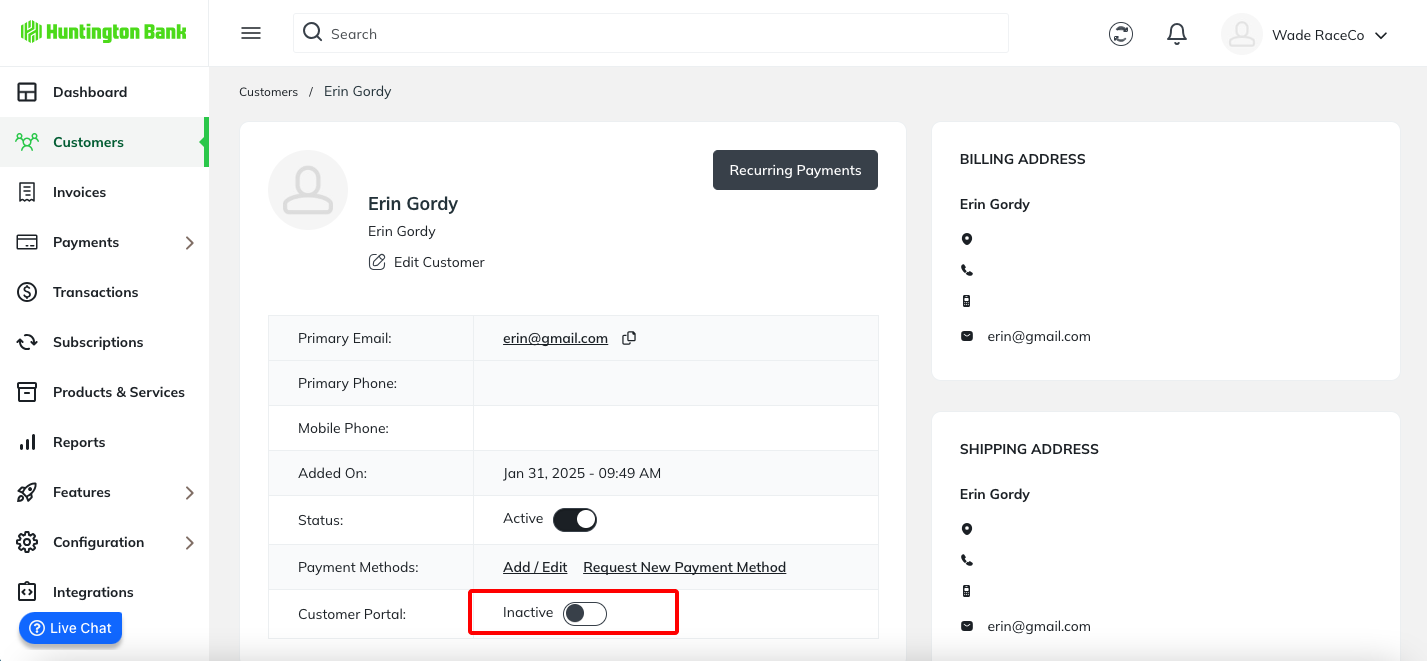
Navigate to the Customer Portal section and click the slider to the right to Activate their access.
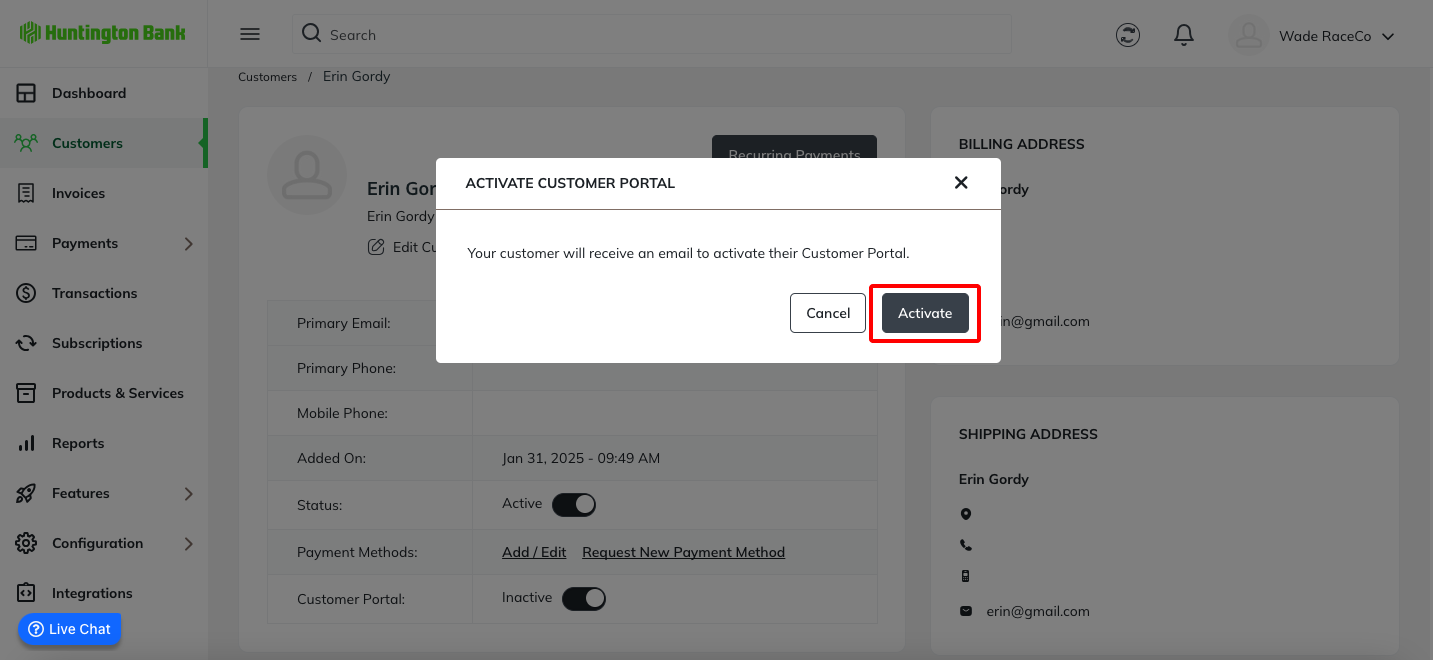
A confirmation message will pop up. Choose Activate to enable access to the customer portal.
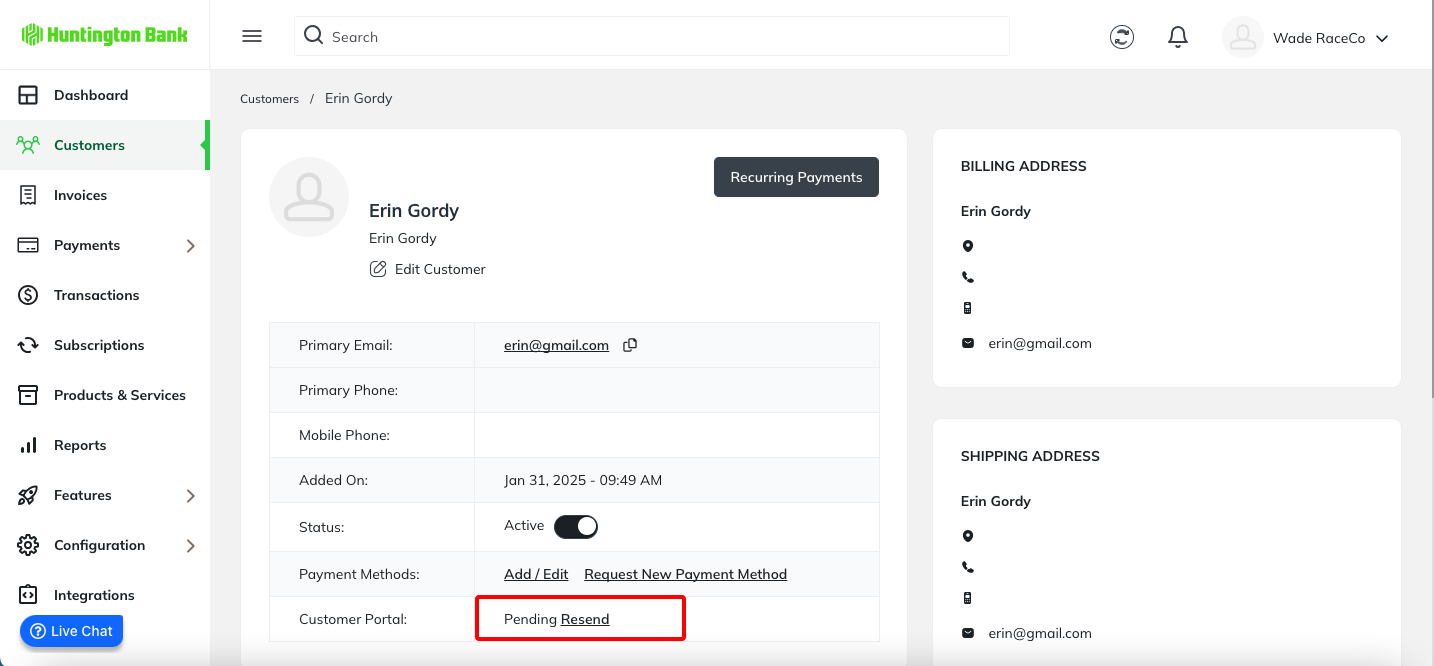
The customer portal status will update to Pending. If your client does not receive the email, you can click Resend to send the invitation again.
Was this article helpful?
That’s Great!
Thank you for your feedback
Sorry! We couldn't be helpful
Thank you for your feedback
Feedback sent
We appreciate your effort and will try to fix the article