Huntington AR Connect makes it easy to process multiple invoices together as a batch. With a simple click, all invoices are paid and reconciled.
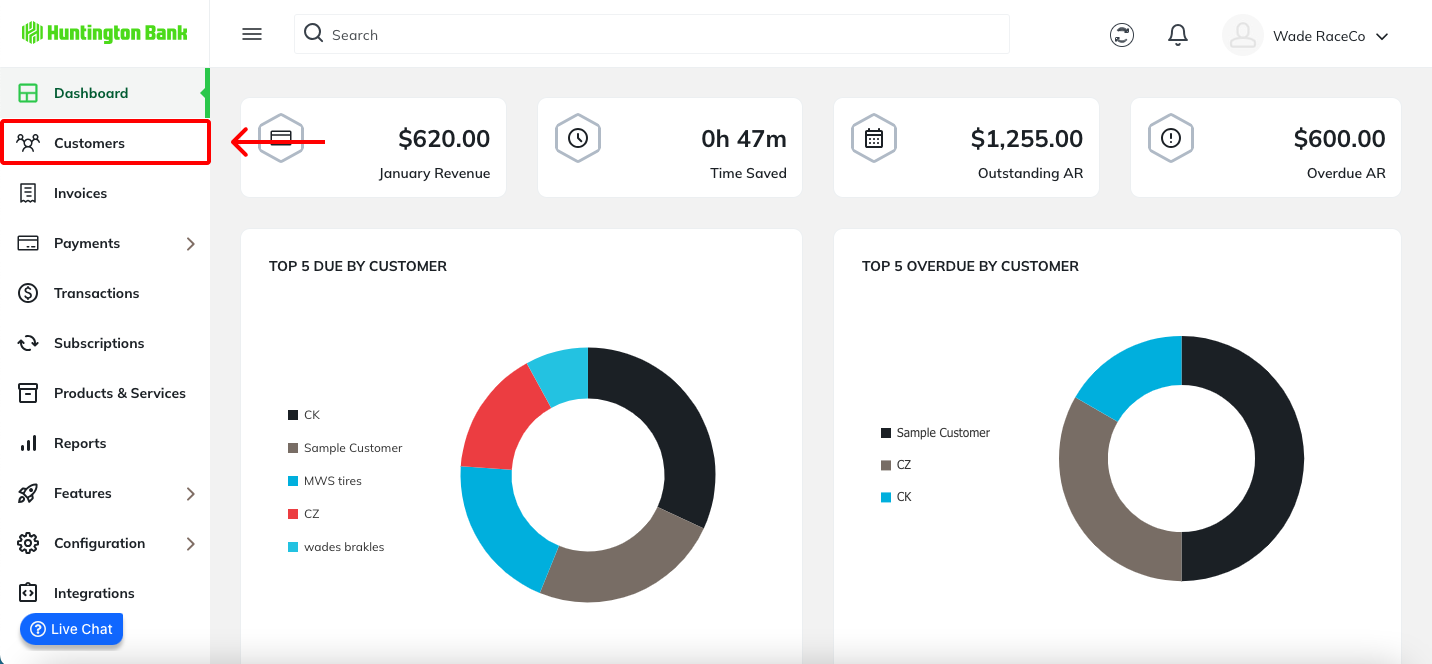
To process payment for multiple invoices tied to a single customer, navigate to the Customers tab.
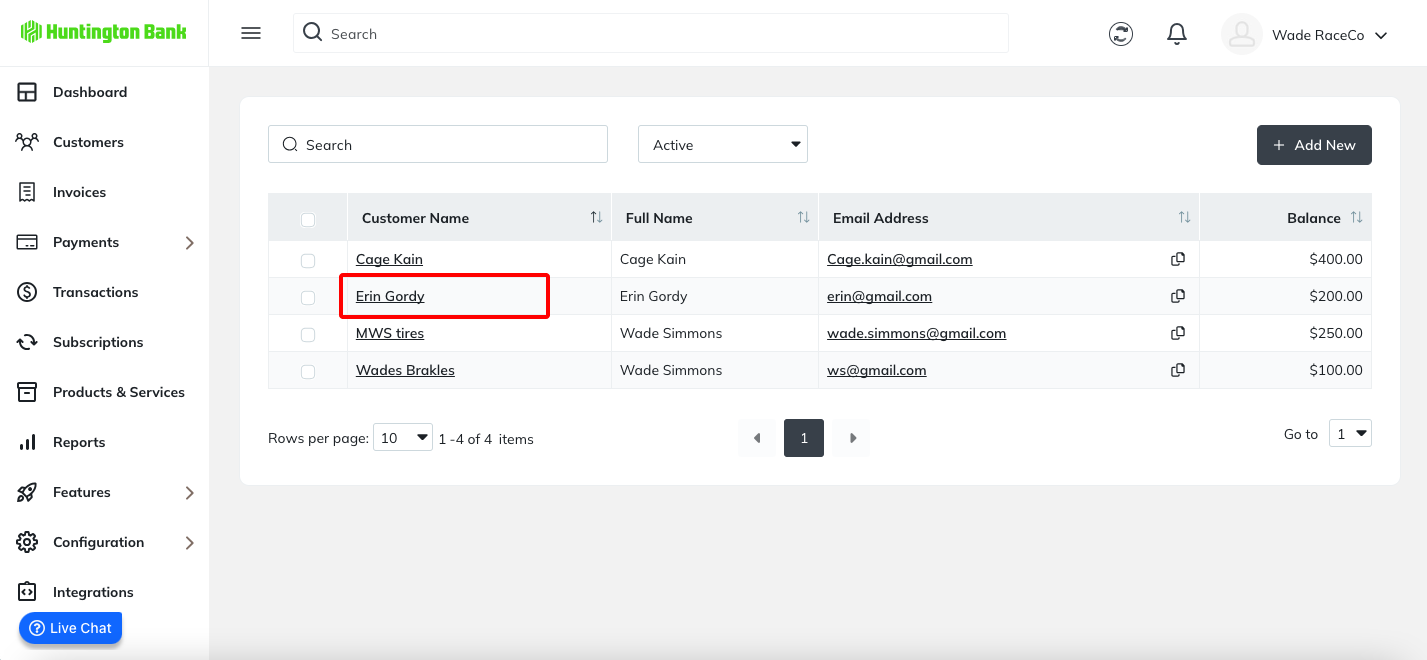
Select the customer you want to process invoices for.
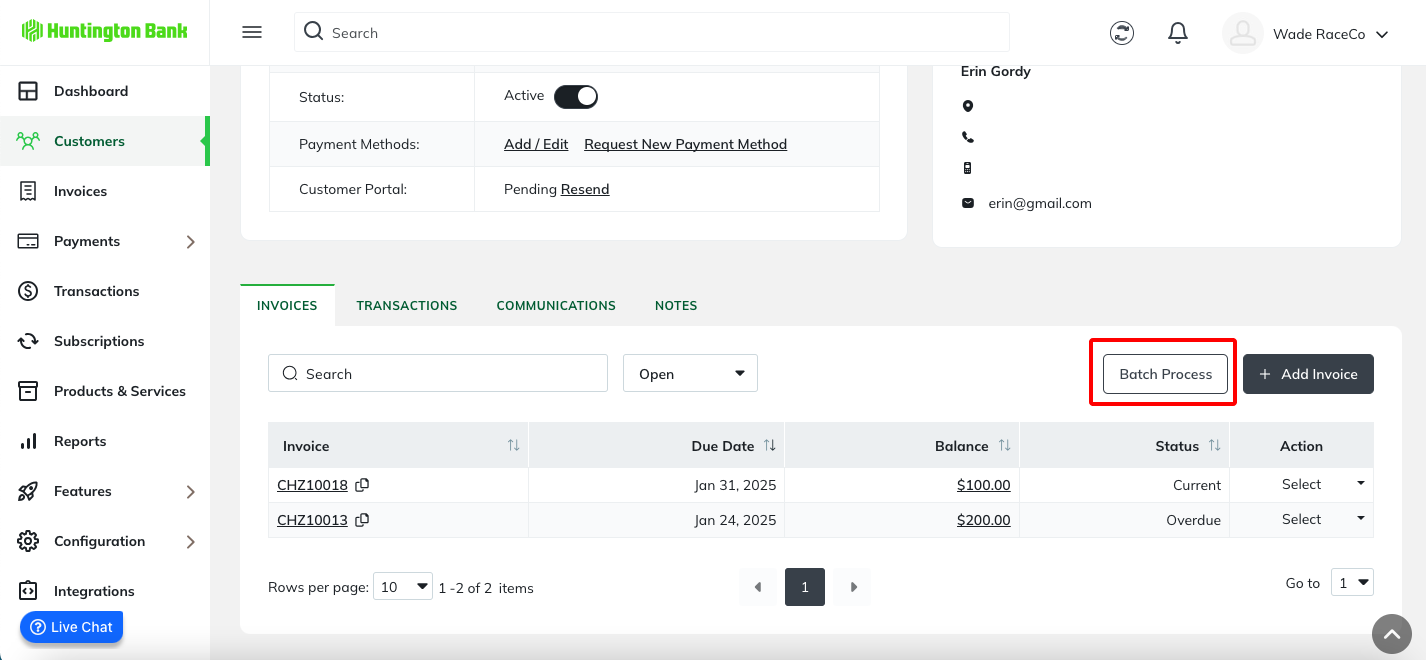
Then, click the Batch Process button.
Was this article helpful?
That’s Great!
Thank you for your feedback
Sorry! We couldn't be helpful
Thank you for your feedback
Feedback sent
We appreciate your effort and will try to fix the article