Huntington Connect AR helps you safely and securely store all of your customer payment data.
If your customers enter their own payment information -- credit cards, debit cards, or eCheck/ACH -- in their profiles in the Customer Portal, those details will be stored and available for future use. Pay Sync will also capture forms of payment used in one-off payments and attach them to the customer's profile.
? Did You Know: All customer payment information is stored in our secure vault. Once the data has been tokenized it will appear in the profile with the card name and the last 4 digits of the card (example: Visa-1234).
If your customer has requested that you add a form of payment to their account manually, you can easily add it to their profile. In the Payment Method section of their profile, click Add/Edit then the + Add New button.
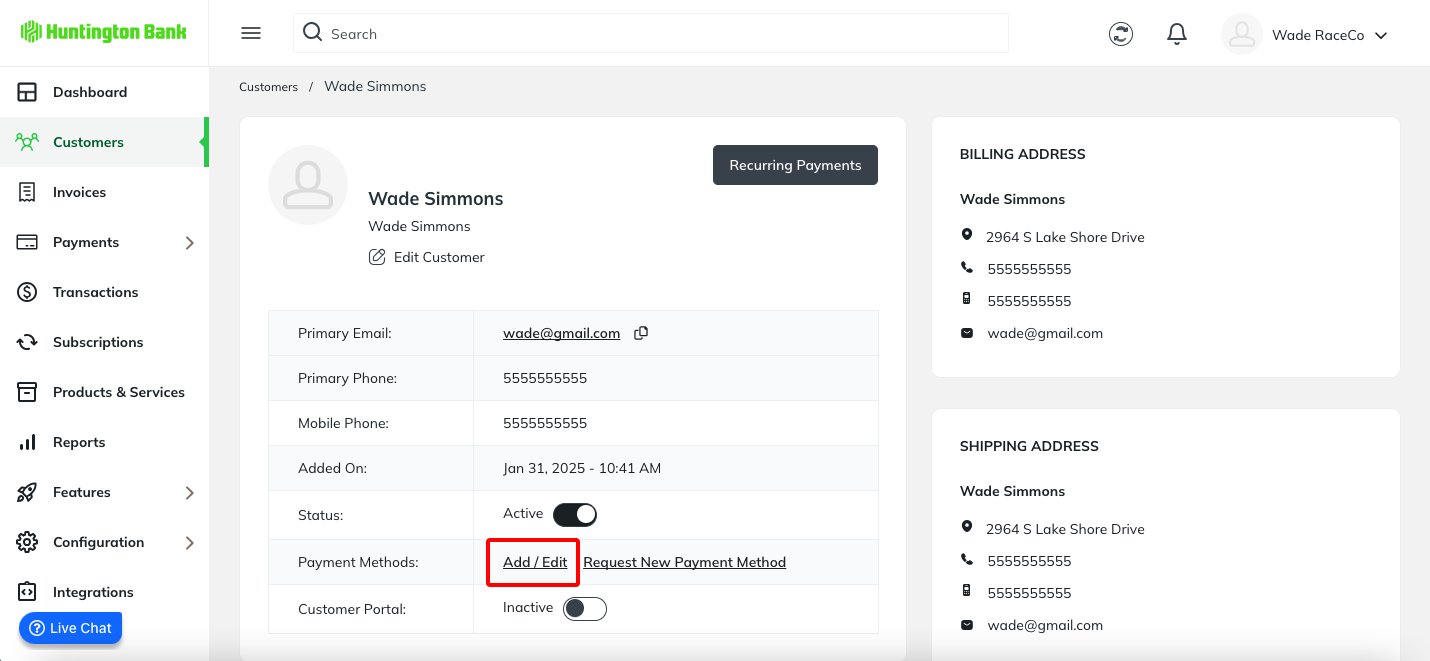
A window will appear that will display payment methods on file for the customer (if any). From here, click the ‘Add New’ button.
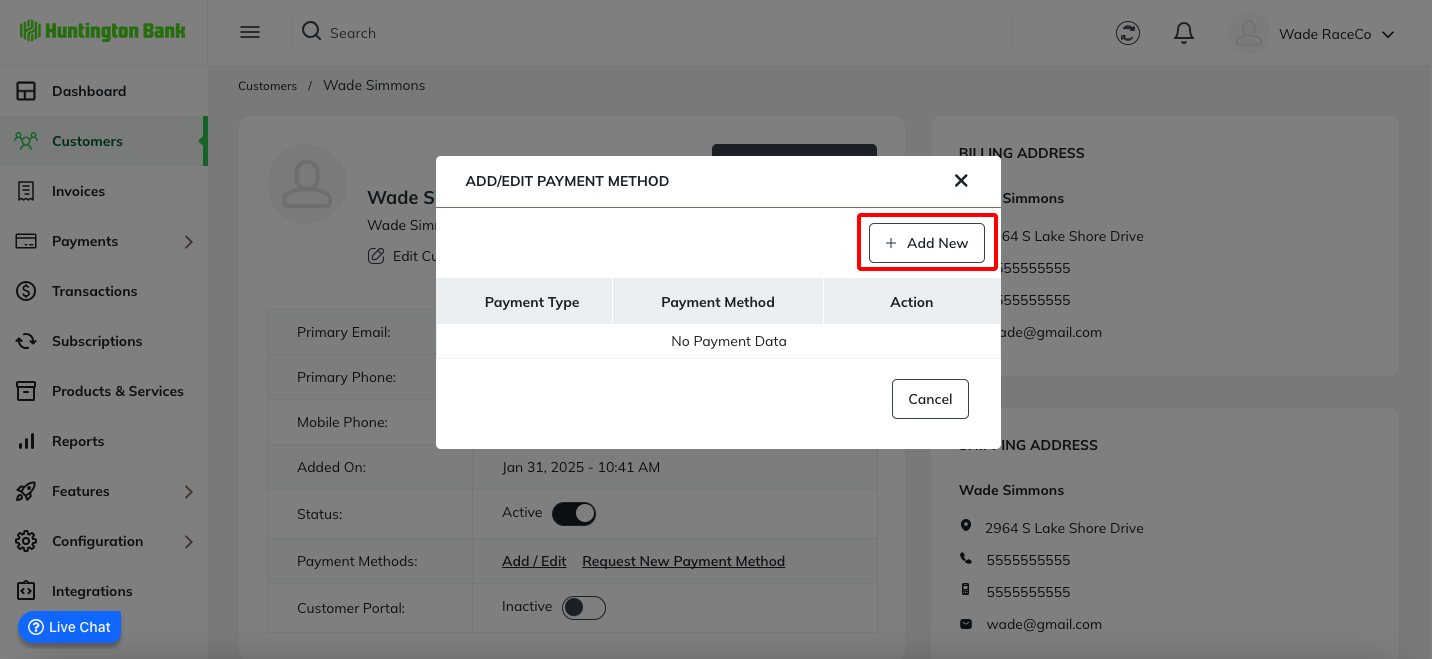
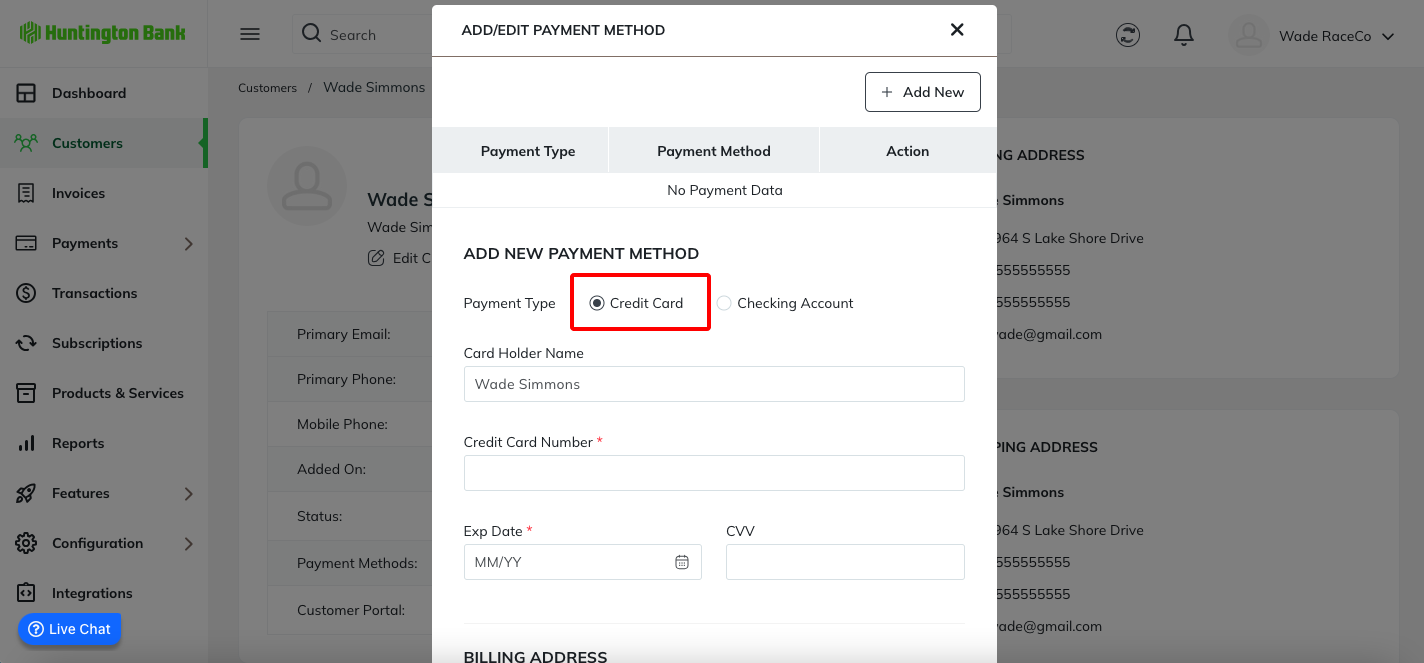
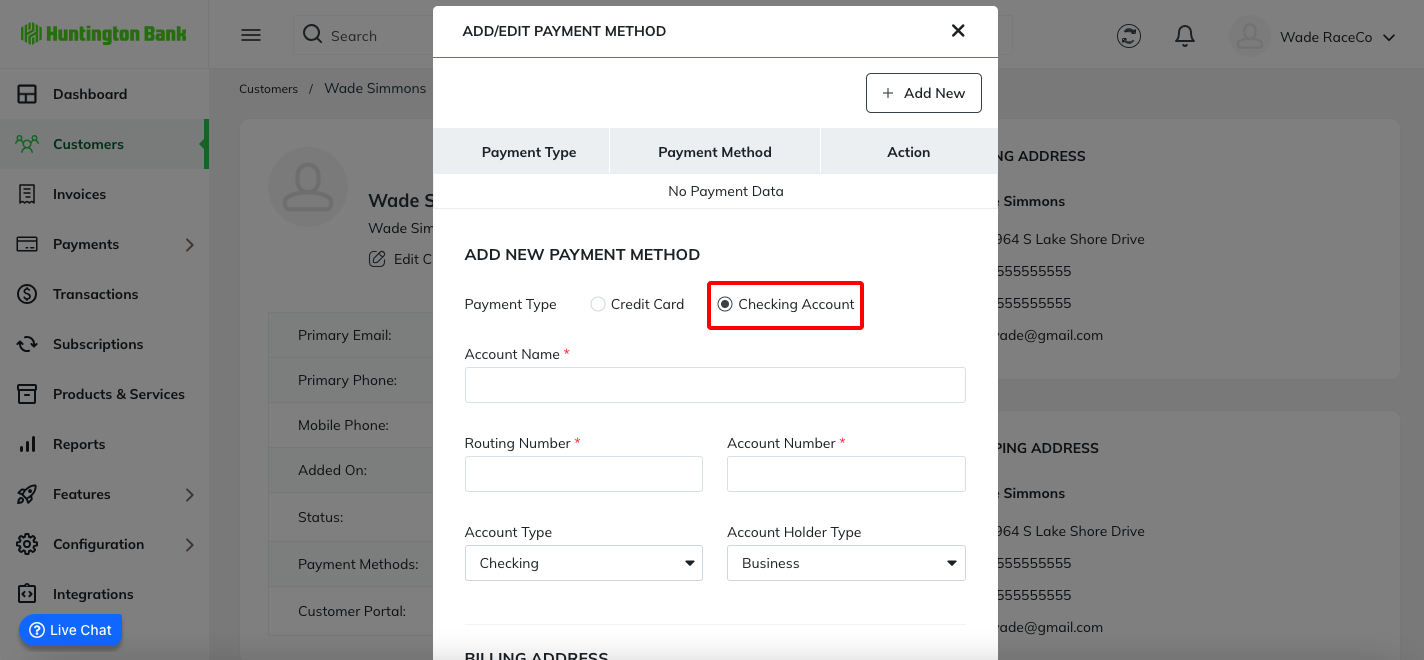
A window will appear that allows you to enter a credit card or checking account. Simply fill in the required fields and click Save.
Was this article helpful?
That’s Great!
Thank you for your feedback
Sorry! We couldn't be helpful
Thank you for your feedback
Feedback sent
We appreciate your effort and will try to fix the article