With this simple batch process, you can enable the customer portal for one or many clients in just a few clicks.
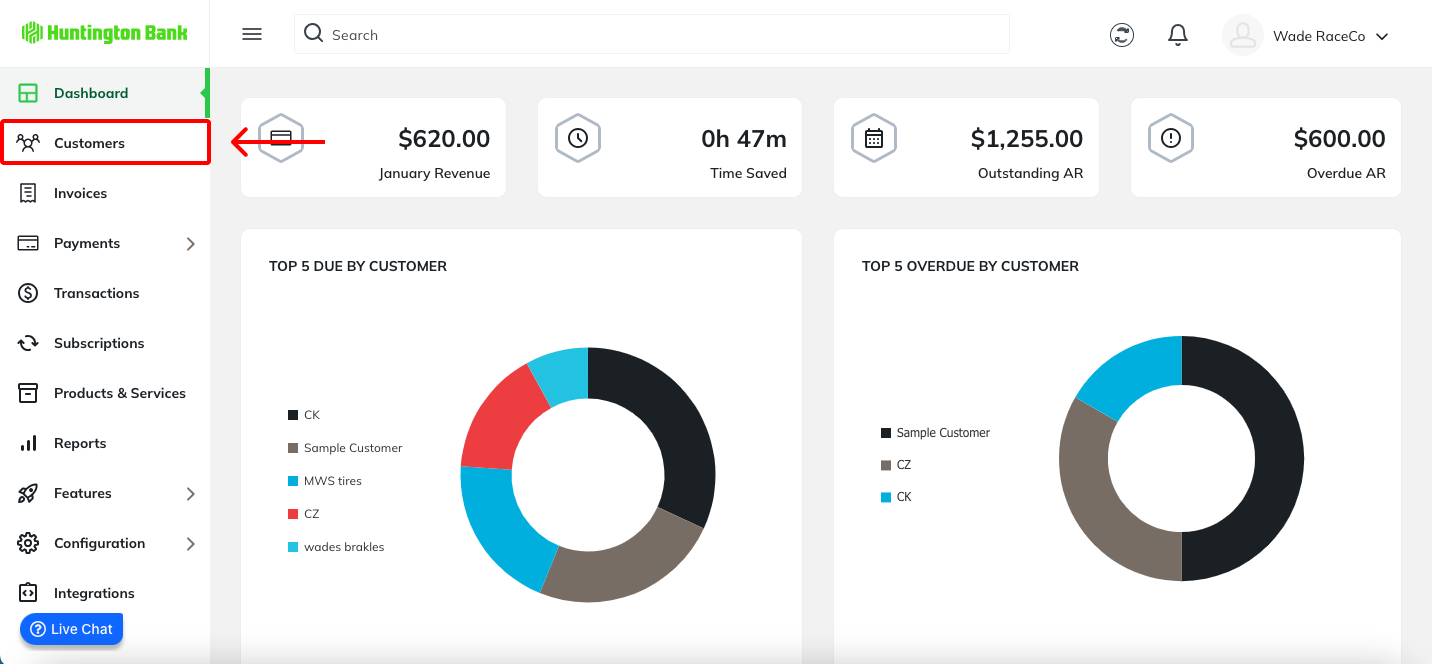
From the left navigation, select Customers.
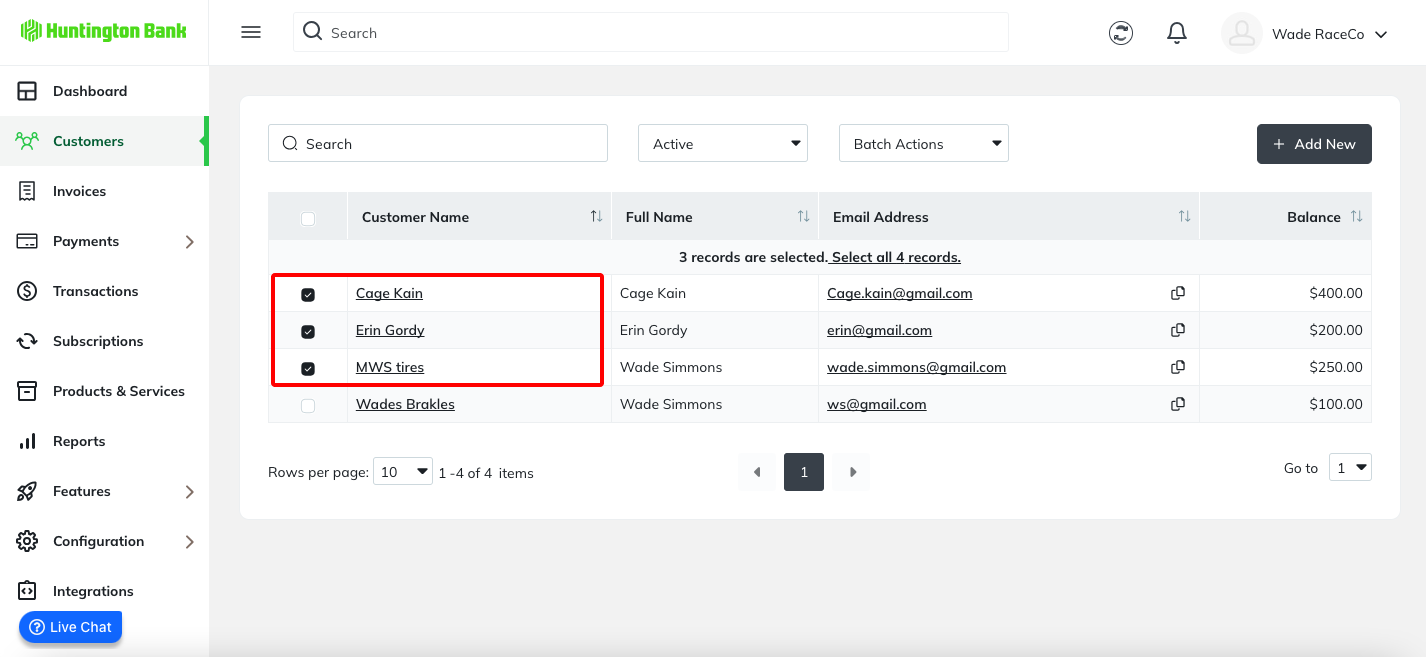
From the list of customers, you can use the checkboxes along the left side to select any clients that you want to include in your batch action.
? Did you know: the top left checkbox next to "Customer Name" in any list view will select ALL records on the screen?
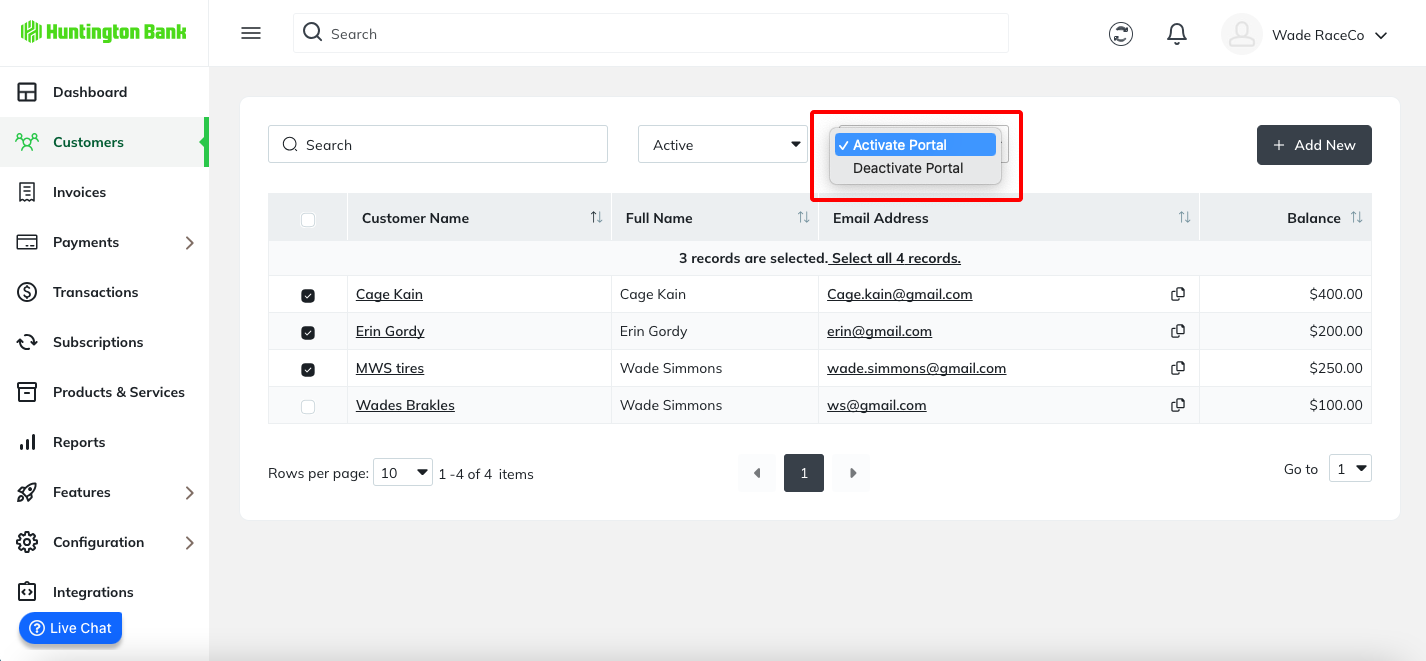
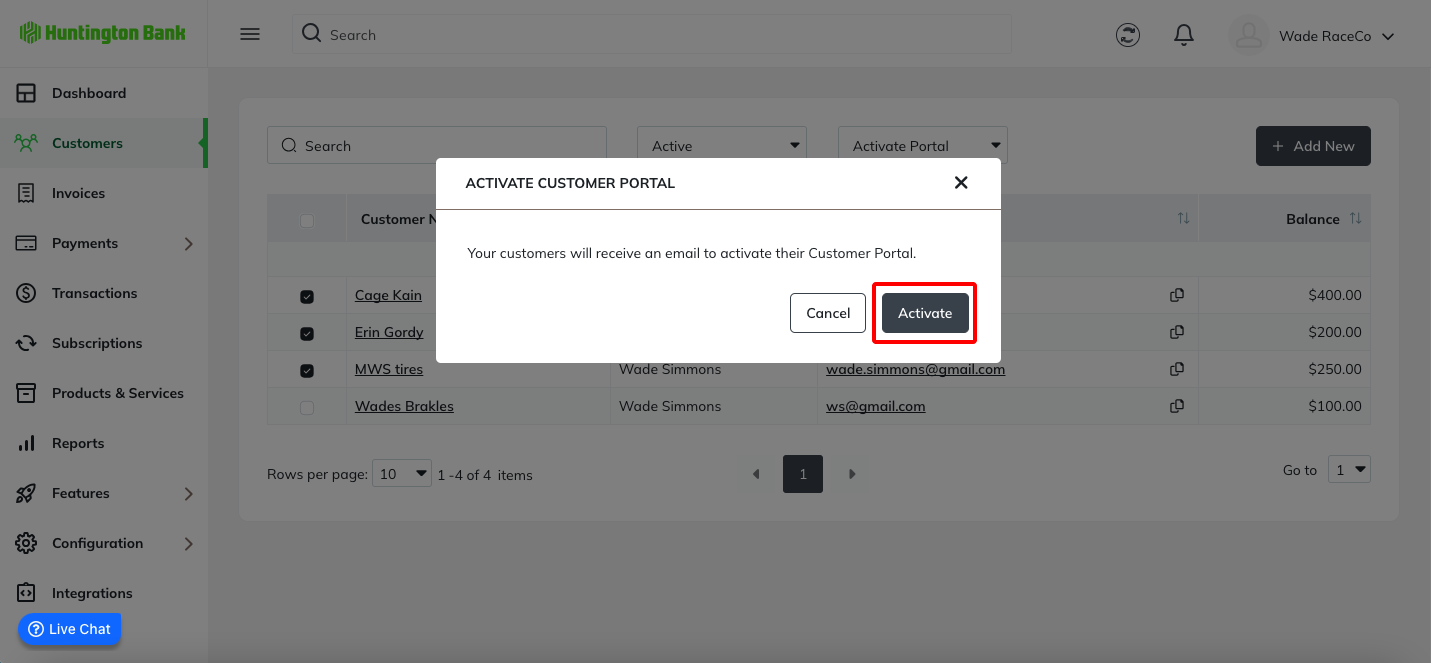
A confirmation message will be displayed. Click the Activate button to activate all selected customers and send an email invitation.
A success message will appear, and you are good to go!
Was this article helpful?
That’s Great!
Thank you for your feedback
Sorry! We couldn't be helpful
Thank you for your feedback
Feedback sent
We appreciate your effort and will try to fix the article