Huntington AR Connect makes it easy to view the status of your invoices and take batch actions to collect payment.
From the Invoices tab, you will see a view of all Open invoices. To change the view, use the drop-down menu to select to change the results. You can select Open, Current, Partial, Overdue, Scheduled, Paid, Voided, or All.
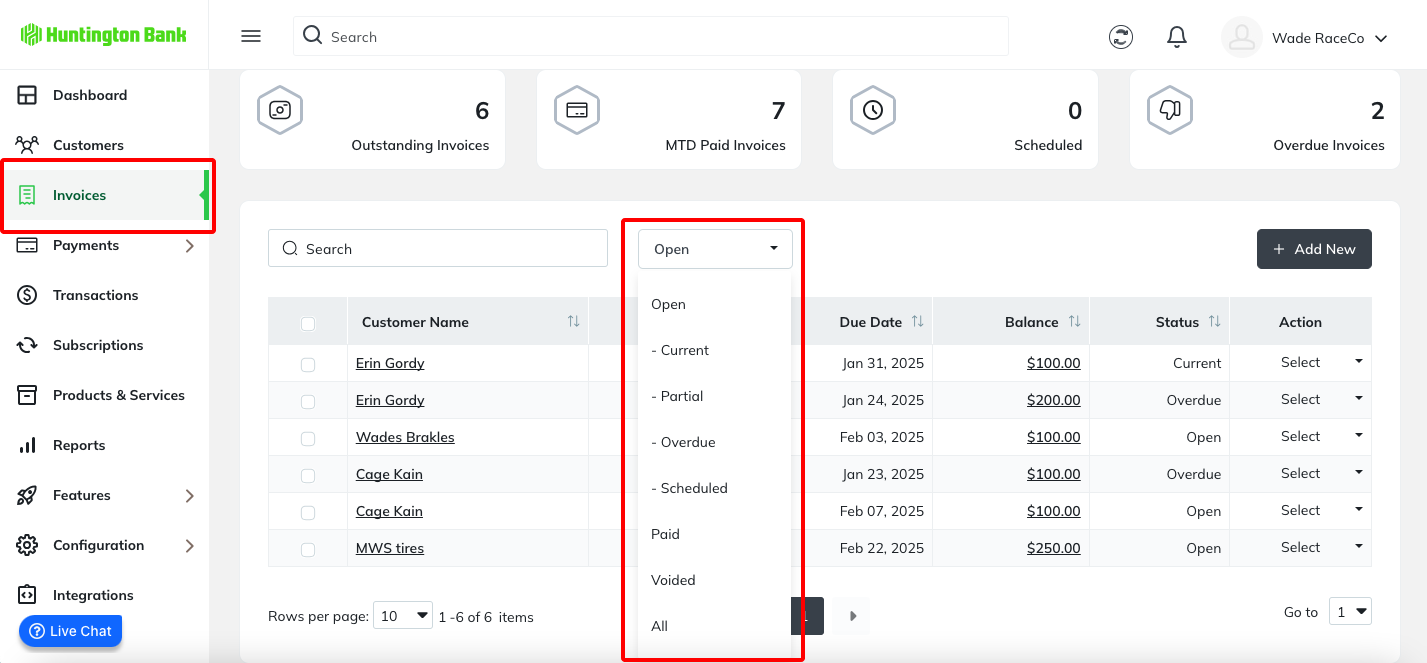
Once your view has been tailored, you can review invoices individually or use Batch Actions such as Send Email to send follow-up messages or process payments.
Was this article helpful?
That’s Great!
Thank you for your feedback
Sorry! We couldn't be helpful
Thank you for your feedback
Feedback sent
We appreciate your effort and will try to fix the article