Huntington AR Connect's Batch Processing allows you to accept payments from multiple customers and for multiple invoices in a single click.
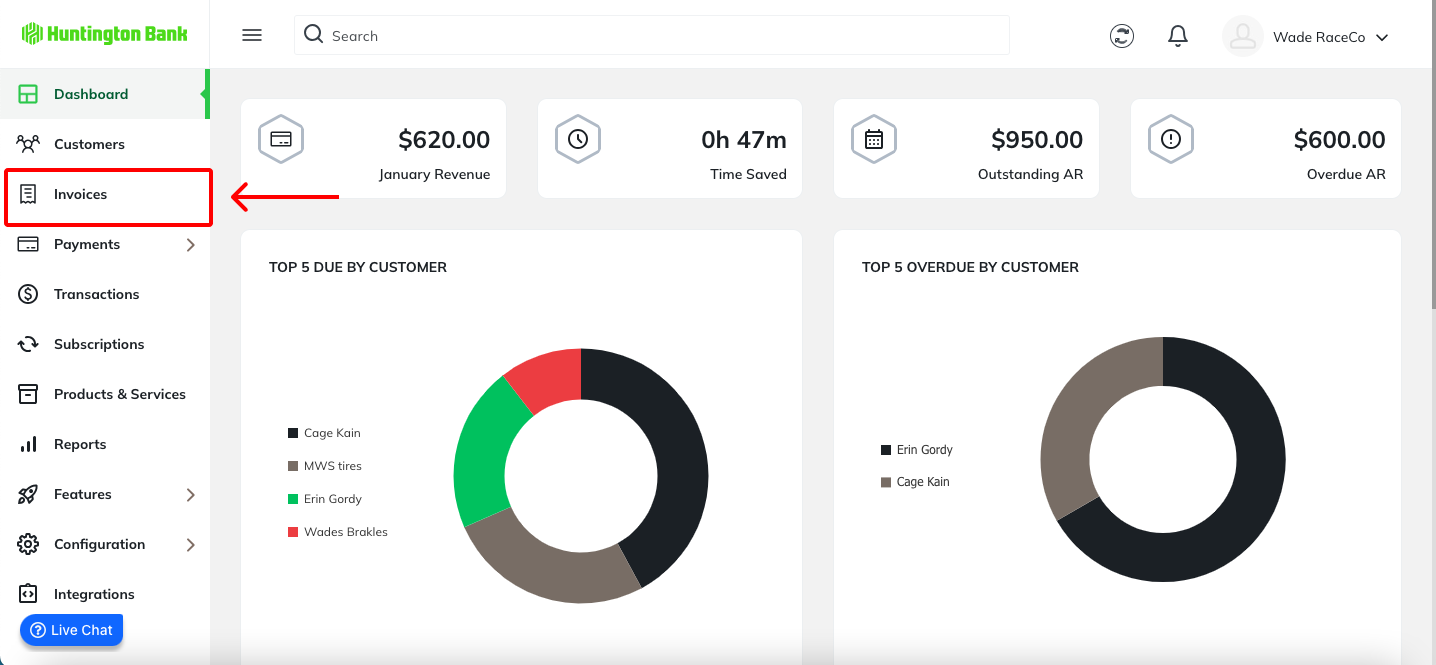
Navigate to the Invoices tab.
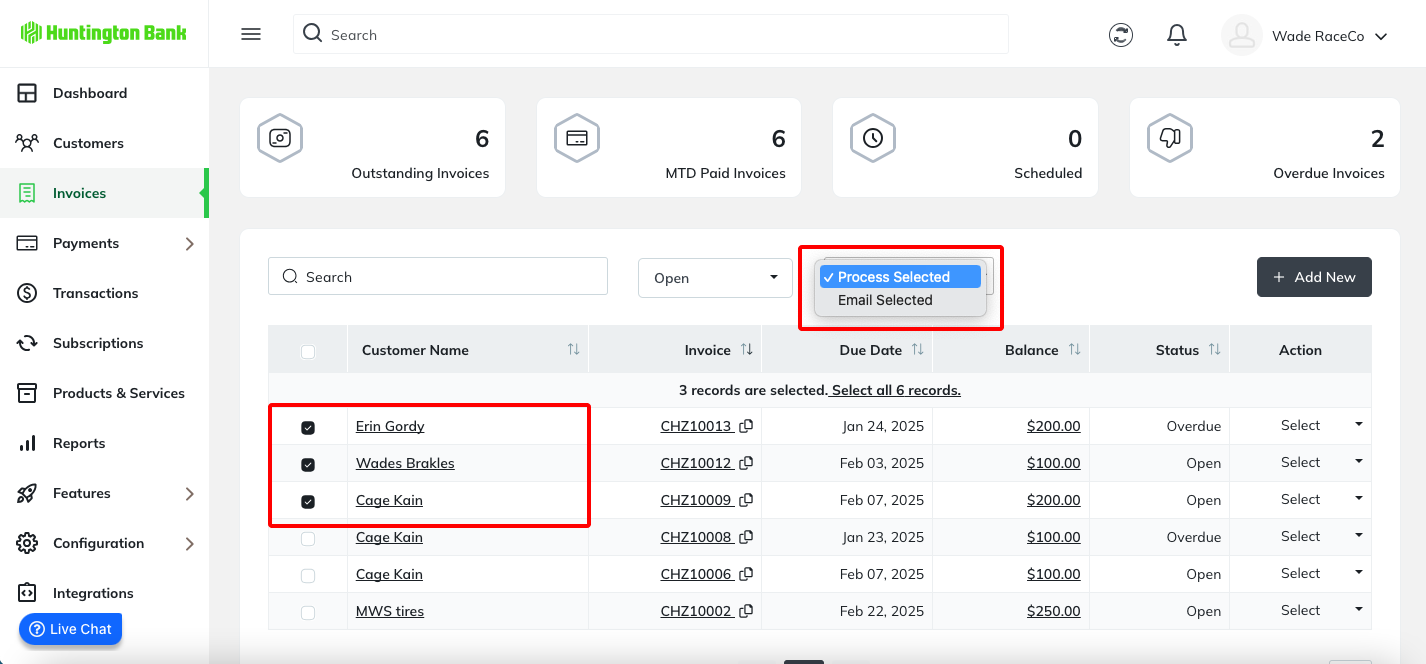
Using the check boxes on the right-hand side, select which invoices you want to procss. Then, click ‘Batch Actions’ and ‘Process Selected’.
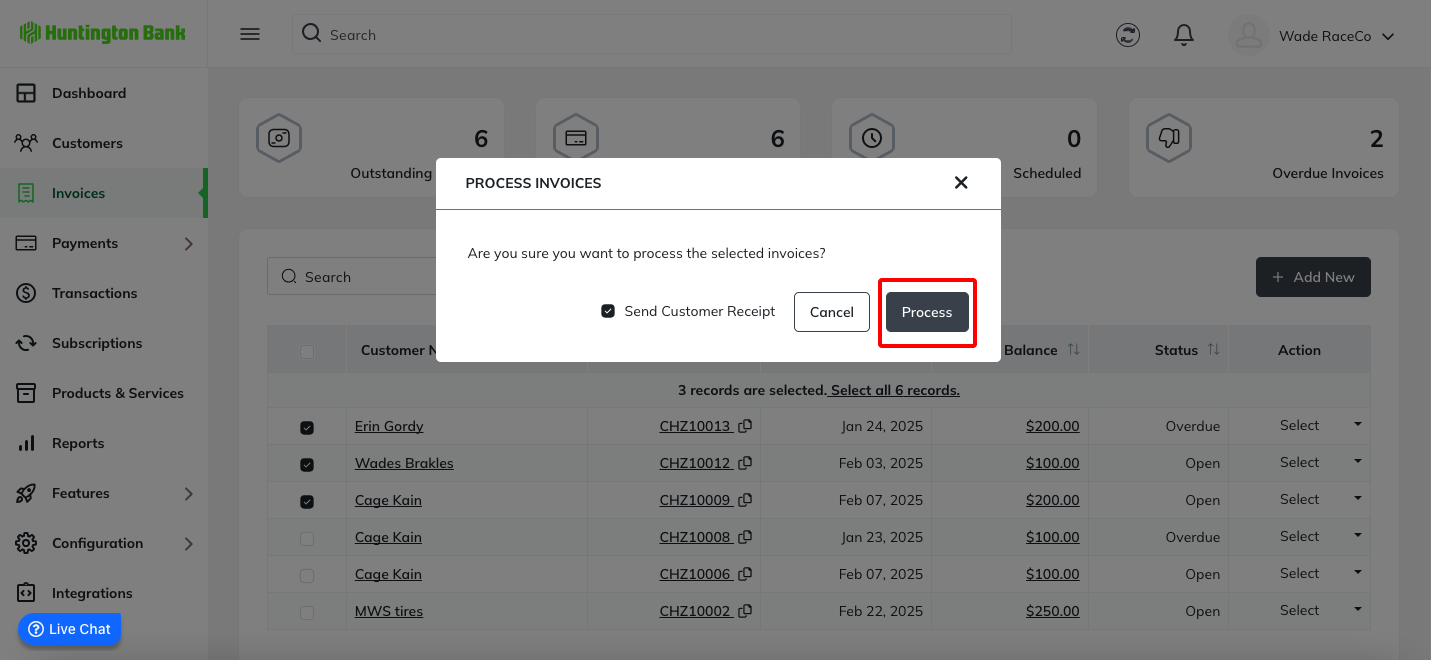
You will be asked to confirm that you want to process the selected invoices, click process.
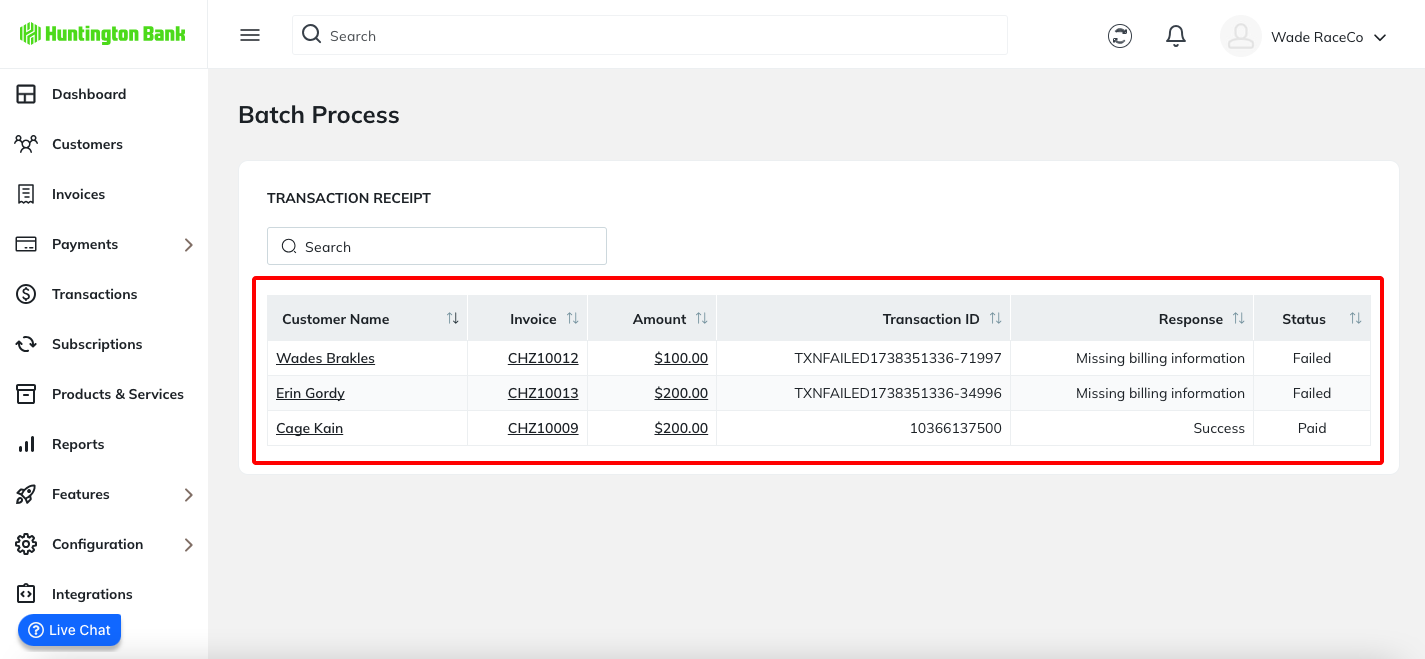
All of the payments will be processed in a single transaction. You will receive an immediate Response that will confirm whether the transaction was successful or if it failed. If a payment fails, the Response column will give you the reason why the payment could not be processed.
Was this article helpful?
That’s Great!
Thank you for your feedback
Sorry! We couldn't be helpful
Thank you for your feedback
Feedback sent
We appreciate your effort and will try to fix the article