If you wish to keep your invoices organized, you can easily change the invoice numbering system inside of the Huntington AR Connect Portal.
From the side navigation bar, select Configuration then General Settings.
In the Invoice Start Number field, type the number that you would like Pay Sync to use as the initial invoice created.
? Pro Tip: Many businesses choose to have their Huntington AR Connect invoices start with a different number sequence than the invoices generated by their accounting package, in addition to a custom invoice prefix.
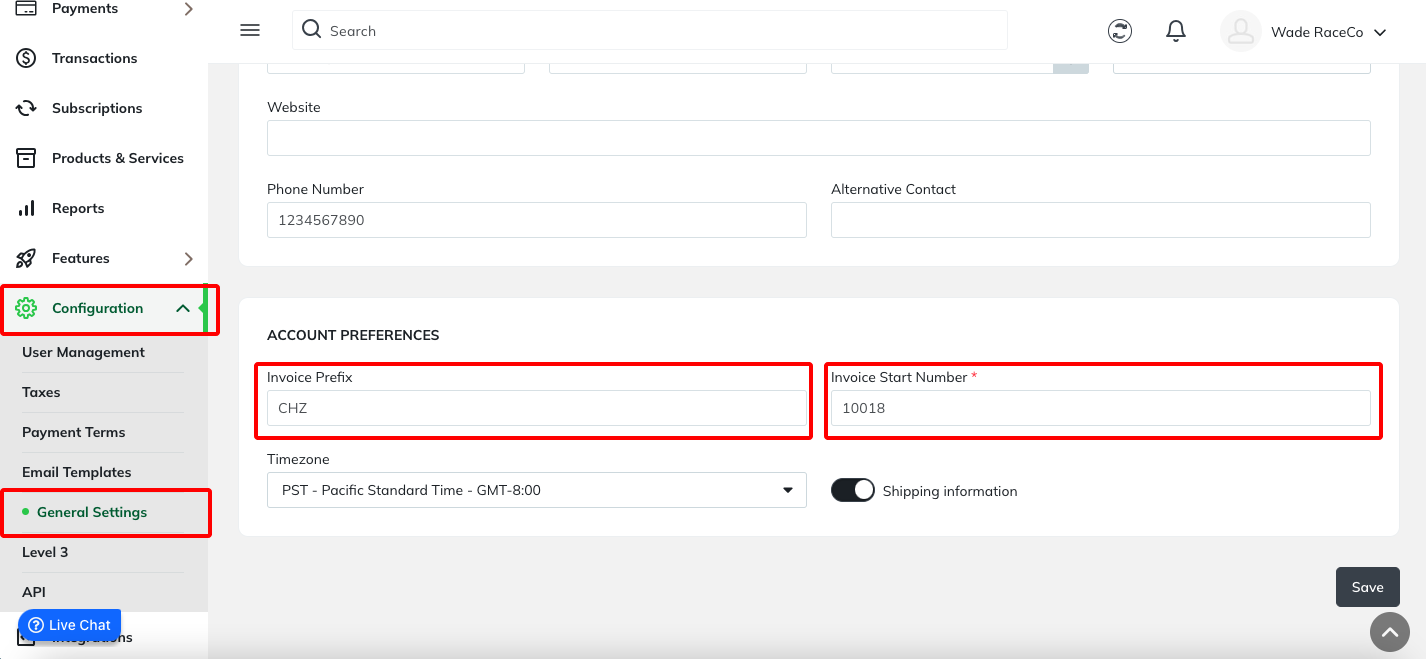
Be sure to click the Save button when finished.
Was this article helpful?
That’s Great!
Thank you for your feedback
Sorry! We couldn't be helpful
Thank you for your feedback
Feedback sent
We appreciate your effort and will try to fix the article